Craftideas.info - Free Crafts, Tutorials and Patterns for all Seasons


Custom Search


 Home

Spring & Easter Crafts

Summer Crafts

 Autumn Crafts

Christmas & Winter Crafts

 Paper Crafts

 Wood Crafts

 General Crafts

 Kids Crafts

 Fabric & Sewing Crafts

 Greeting & Birthday Cards

 Craft Patterns

 Craft Tutorials 1

  Craft Tutorials 2

 Jewelry Crafts

 Craft Recipes

 Felt Crafts

 Paper Craft Tips

 Tags

 ATC

 Kids Rainy Day Crafts

 Recycling Crafts

Newsletter

 Picture Gallery

  Contact

 Sitemap

 Links


Vintage Card

Craft a Pisa Card

Eyelets

Papers for Cards and Scrapbooks

How to use Corner Punches

Step-by-Step Card Craft Tutorial

Cuttlebug Embossing and Die Cutting Machine 2

Cuttlebug Embossing and Die Cutting Machine

Double Do® XL with Cuttlebug Embossing Folders

Stitching on Cards

Paper Napkin Applique/ Fusible Web

Double Do® XL with Double Do® Die Cuts

Fiskars 3 in 1 Corner Punches

Fiskars Shape Boss©

Cute Primitive Cow Card Tutorial

Spooky Halloween Card

How to Use the Sizzix Sidekick

Sunflower Card Craft Tutorial

Adhesive Foils and 3-D Pads

Special Effects for Cards

Double Do® XL Tutorial

How to Chalk Paper

Embossing

Add Texture to your Paper Projects

Tips for Card Making and Paper Crafts


How to Use the Double Do® XL Diecutter and Embossing Machine with Brass Embossing Templates

All patterns, pictures and text found on Craftideas.info are property of this website and may be only printed out and used for private or non-commercial purposes. It is not permitted to use them on the internet or in any other publication.


The Double Do® XL is perfect for the larger templates that are up to 15 cm or 6 inches wide.

More Double Do Tutorials:

How to Use the Double Do® XL Diecutter and Embossing Machine with Cuttlebug™ Embossing Folders

How to Use the Double Do® XL Diecutter and Embossing Machine with Double Do® Die Cuts


Double Do Tutorial 1

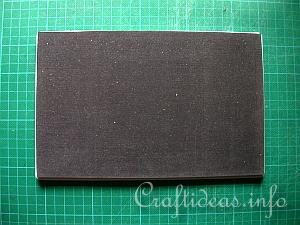
1. Your Double Do® Machine comes with two grey plates, 1 pink plate and one black foam pad. To use the machine with the brass embossing template, you will first need one grey plate.


Double Do Tutorial 2

2. Next align the black mat onto the grey plate.

Double Do Tutorial 3

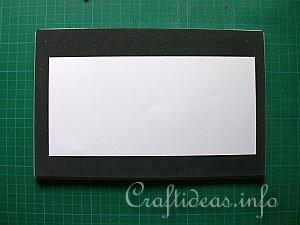
3. Place the cardstock you wish to emboss now onto the black mat.

Double Do Tutorial 4

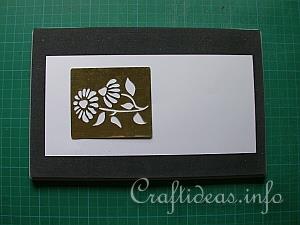
4. Next comes the embossing template. Place it where you you like.

Double Do Tutorial 5

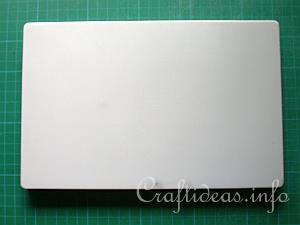
5. Last, but not least, comes the second grey plate. These layers become the “sandwich” that will now be inserted into your Double Do machine.

Double Do Tutorial 6

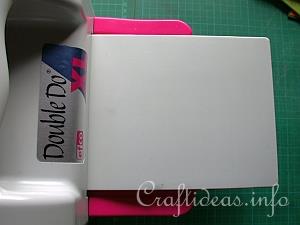
6. Insert now this “sandwich into the front of the machine.

Double Do Tutorial 7

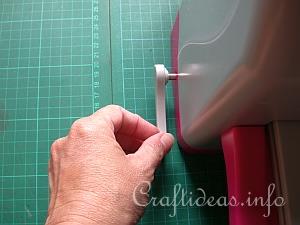
7. Secure the machine to the table by pulling the small left lever until the machine adheres itself to the underground. This underground should be smooth and flat.

Double Do Tutorial 8

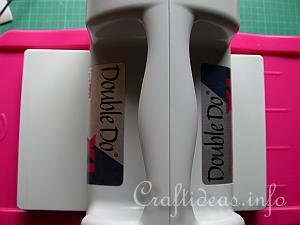
8. Now pull the lever on the right side towards you so that it starts to pull the “sandwich” through the machine. Continue turning the lever until the “sandwich” is completely through. You will need to hold the top of the machine with your second hand if necessary to help.


Double Do Tutorial 9

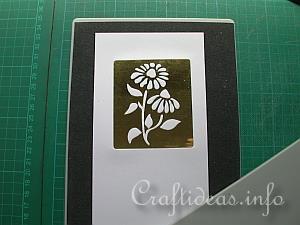
9. Remove the top grey plate and then remove the embossing template.

Double Do Tutorial 10

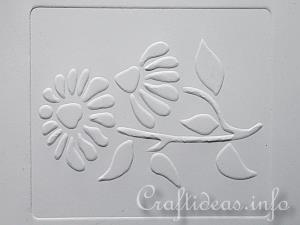
10. This is how the embossed imaged now looks.


Custom Search


Copyright Craftideas.info